HomePurchaseLearnCase StudySupportContact

How to unlock Enlighten Aquarium Pro

Follow these quick steps to unlock an Enlighten Aquarium Pro using your supplied license key and start using the advanced features right away!🐠

Before you begin

You'll need:

  • Your license key (sent to you after purchase).
  • An existing report using the Enlighten Aquarium

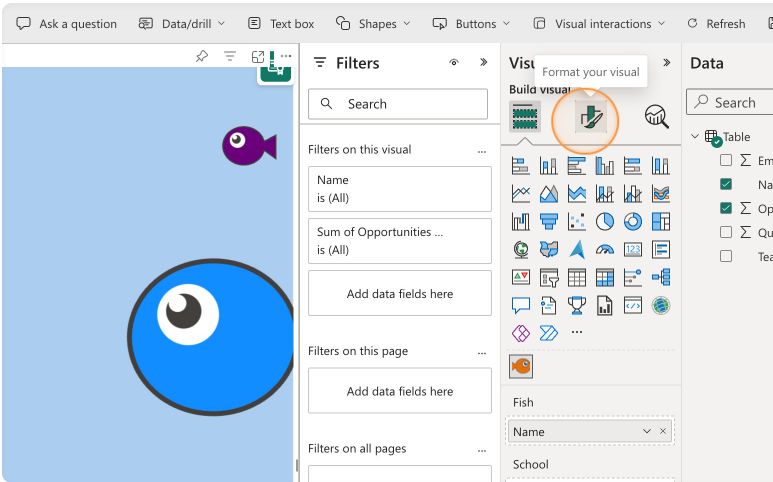
1. Navigate to the formatting pane

  • Click on the Enlighten Aquarium in the report.
  • Find the Visualization pane and click on 'Format your visual'.

Tip: ensure the report is in edit mode.

Screenshot in Power BI showing the formatting pane

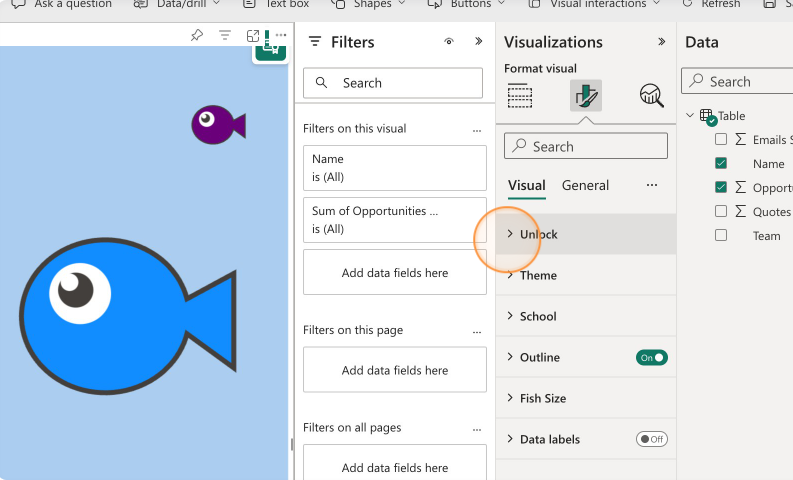
2. Expand the unlock field

  • Find the 'Unlock' section and click to expand it
Screenshot in Power BI showing how to expand the unlock field

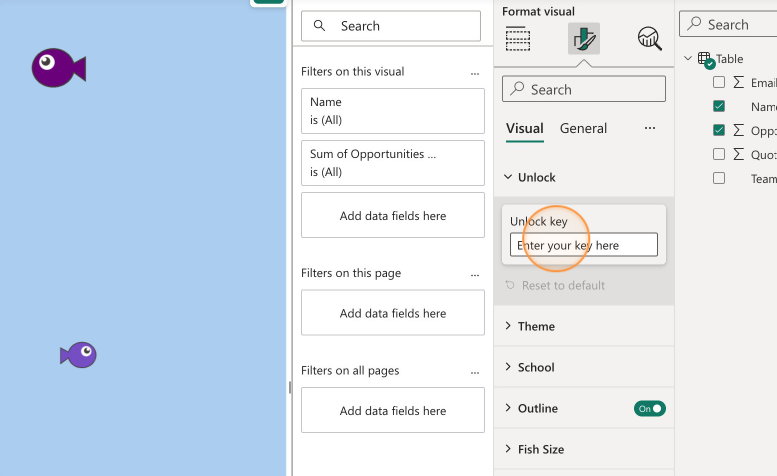
3. Copy the key into the field

  • Copy/paste your license key into the field
Screenshot in Power BI showing where to paste a key into

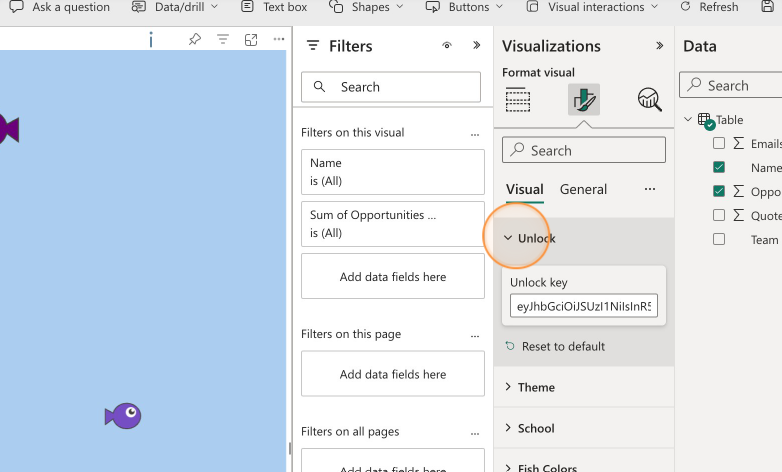
4. Minimise the field and you're all done

  • Now you are ready to use advanced features

Tip: There is a small icon (i) to the top right of the visual that will show you your license details and expiry date.

Screenshot in Power BI showing how to collapse the unlock group
Enlighten Designs logo
Microsoft Solution Partner Digital & App Innovation Azure Specialist Migrate Enterprise Applications to Microsoft Azure
Microsoft Solutions Partner Data & AI Azure Specialist Analytics
Microsoft Fabric Featured Partner

Enlighten Aquarium is crafted by Enlighten Designs

Enlighten Designs is an innovation studio specializing in the art of telling data-driven stories to deliver magic moments and exceptional customer value. 

Address

Level One
150 Victoria Street
Hamilton, New Zealand

Phone

Get in touch

Questions or feedback on Enlighten Aquarium? We'd love to hear from you. 

Email